¿Qué es la Compresión de Imágenes?
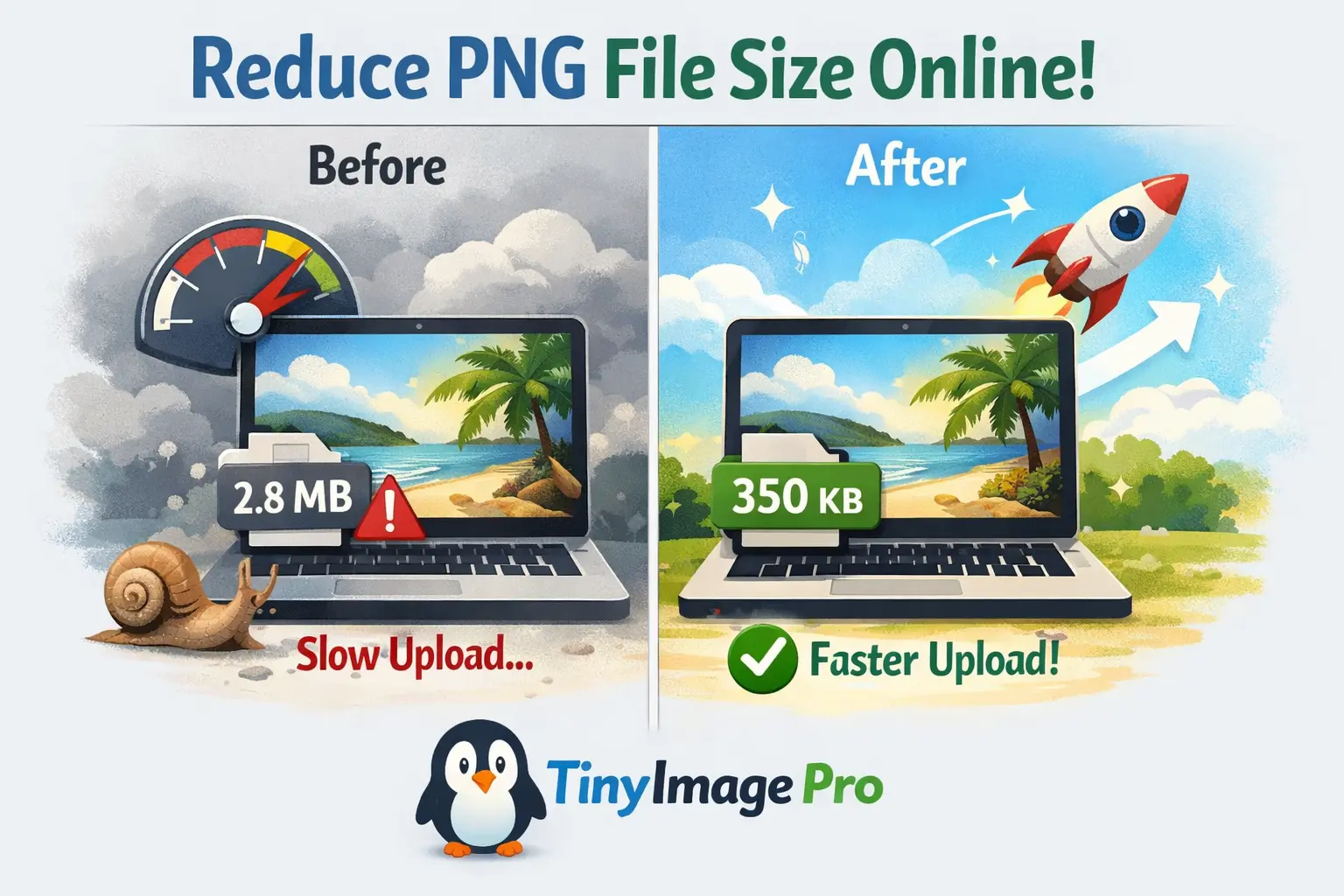
La compresión de imágenes es el proceso de reducir el tamaño del archivo de una imagen mientras se preserva su calidad visual. Cuando comprimes imágenes, esencialmente estás eliminando datos innecesarios del archivo de imagen sin afectar significativamente su apariencia. Este proceso es crucial para cualquier persona que trabaje con imágenes digitales, ya sea desarrollador web, fotógrafo o creador de contenido.
Compresión con Pérdida vs Sin Pérdida
Hay dos tipos principales de compresión de imágenes: con pérdida y sin pérdida. La compresión con pérdida elimina algunos datos permanentemente para lograr tamaños de archivo más pequeños — ideal para imágenes web donde ligeras concesiones de calidad son aceptables. La compresión sin pérdida reduce el tamaño del archivo sin ninguna pérdida de calidad, perfecta para uso de archivo y profesional.
Nuestra herramienta de comprimir imagen aplica inteligentemente el mejor método de compresión según tus ajustes de calidad seleccionados, asegurando el equilibrio perfecto entre tamaño de archivo y calidad de imagen.
Cómo Funcionan los Algoritmos de Compresión
Los algoritmos de compresión analizan los datos de la imagen para identificar patrones y redundancias. Eliminan metadatos, reducen la profundidad de color y fusionan regiones de píxeles similares para reducir el tamaño del archivo. Algoritmos avanzados como los utilizados en WebP y AVIF logran reducciones aún mayores aprovechando técnicas de codificación modernas.
¿Por Qué Necesitas Comprimir Imágenes?
En el panorama digital actual, la necesidad de comprimir imagen nunca ha sido más crítica. Los archivos de imagen grandes pueden ralentizar significativamente la velocidad de carga de tu sitio web, impactando negativamente la experiencia del usuario y los rankings de SEO. Cuando comprimes el tamaño de la imagen, no solo estás ahorrando espacio de almacenamiento — estás mejorando toda tu presencia digital.
Velocidad de Carga Más Rápida
El rendimiento del sitio web está directamente relacionado con los tamaños de archivo de imagen. Los estudios muestran que el 53% de los usuarios móviles abandonan los sitios web que tardan más de 3 segundos en cargar. Al usar herramientas para minimizar el tamaño de foto, puedes mejorar dramáticamente los tiempos de carga de página, reducir costos de ancho de banda y mejorar la participación del usuario. Para sitios de comercio electrónico, esto se traduce en mayores tasas de conversión e ingresos aumentados.
Mejores Rankings de SEO
Los motores de búsqueda como Google utilizan la velocidad de página como factor de clasificación. Las imágenes optimizadas contribuyen a mejores puntuaciones de Core Web Vitals, que influyen directamente en tu visibilidad en búsquedas. Cuando comprimes imágenes en tu sitio web, estás dando a tus páginas una ventaja competitiva en los resultados de búsqueda.
Ahorra Almacenamiento y Ancho de Banda
Las imágenes comprimidas son más fáciles de compartir por correo electrónico, redes sociales y aplicaciones de mensajería. Cuando comprimes imágenes antes de subirlas a servicios de almacenamiento en la nube, ahorras valioso espacio de almacenamiento y reduces los tiempos de carga. Los usuarios móviles especialmente se benefician de imágenes comprimidas ya que consumen menos datos, haciendo la navegación más económica y rápida en redes celulares.
Cómo Comprimir una Imagen en Línea
Aprender cómo comprimir una imagen en línea es sencillo con TinyImagePro. Nuestra herramienta gratuita hace increíblemente fácil reducir los tamaños de archivo de imagen sin requerir experiencia técnica o instalación de software. Aquí hay una guía paso a paso sobre cómo comprimir imágenes usando nuestra plataforma:
- 1Sube Tus Imágenes:
Arrastra y suelta tus imágenes en el área de carga, o haz clic para navegar tus archivos. Puedes subir hasta 10 imágenes a la vez, con cada archivo de hasta 20MB de tamaño.
- 2Ajusta la Configuración de Compresión:
Elige tu nivel de calidad deseado usando el control deslizante (recomendamos 80% para el mejor equilibrio) y selecciona tu formato de salida (JPEG, PNG o WebP).
- 3Compresión Automática:
Nuestra herramienta procesa automáticamente tus imágenes usando algoritmos de compresión avanzados. El proceso ocurre instantáneamente en tu navegador—sin necesidad de subir al servidor.
- 4Descarga Imágenes Comprimidas:
Previsualiza tus imágenes comprimidas para comparar calidad, luego descárgalas individualmente o como un archivo ZIP para descargas por lotes.
Todo el proceso toma solo segundos, y verás inmediatamente el porcentaje de reducción de tamaño para cada imagen. Este enfoque transparente te ayuda a entender exactamente cómo comprimir una imagen efectivamente mientras mantienes la calidad que necesitas para tu caso de uso específico.
Diferentes Formas de Comprimir Imágenes
Hay múltiples métodos disponibles cuando quieres comprimir archivo de tamaños de imágenes. Entender estos diferentes enfoques te ayuda a elegir la herramienta correcta para tus necesidades.
Herramientas de Compresión en Línea
Las herramientas en línea, como nuestro compresor de archivos jpeg, ofrecen el equilibrio perfecto entre conveniencia y potencia. Son accesibles desde cualquier dispositivo, no requieren instalación y procesan archivos directamente en tu navegador para máxima privacidad. A diferencia de muchas alternativas, TinyImagePro no sube tus imágenes a un servidor — todo ocurre localmente en tu dispositivo, asegurando que tus fotos permanezcan completamente privadas y seguras.
Software de Escritorio
El software de escritorio como Photoshop y GIMP ofrece opciones de compresión avanzadas con control detallado sobre la calidad de salida. Sin embargo, requieren instalación, conocimiento técnico y a menudo tienen un costo. Estas herramientas son más adecuadas para profesionales que necesitan control a nivel de píxel sobre su flujo de trabajo de compresión.
Elegir el Método Correcto
Al elegir cómo comprimir imágenes, considera factores como capacidades de procesamiento por lotes, formatos soportados, opciones de control de calidad y privacidad. Nuestra herramienta sobresale en todas estas áreas, soportando formatos JPEG, PNG, WebP y AVIF con control de calidad granular. Ya sea que necesites comprimir archivo de una sola foto o procesar docenas de imágenes simultáneamente, nuestra plataforma lo maneja eficientemente.
Beneficios de Usar la Herramienta de Compresión de Imágenes TinyImagePro
TinyImagePro se destaca como la elección principal cuando necesitas comprimir imagen de archivos rápida y efectivamente. Nuestra herramienta de comprimir imagen está diseñada con la experiencia del usuario y la eficiencia en mente, ofreciendo varias ventajas clave sobre soluciones competidoras.
🚀 Procesamiento Ultrarrápido
La compresión del lado del cliente significa resultados instantáneos sin demoras del servidor ni tiempos de carga.
🔒 Privacidad Completa
Tus imágenes nunca salen de tu dispositivo, asegurando máxima seguridad y confidencialidad.
💯 100% Gratis Siempre
Sin costos ocultos, suscripciones ni niveles premium—todas las funciones son completamente gratuitas.
📱 Optimizado para Móviles
Completamente optimizado para smartphones y tablets con controles táctiles amigables.
🎯 Sin Límites de Archivo
Comprime imágenes de hasta 20MB cada una sin límites diarios ni restricciones.
🎨 Múltiples Formatos
Soporte para JPEG, PNG, WebP y AVIF con opciones de conversión de formato.
Ya seas un fotógrafo profesional gestionando grandes bibliotecas de imágenes, un desarrollador web optimizando activos del sitio o un usuario casual compartiendo fotos en línea, TinyImagePro proporciona las herramientas que necesitas para comprimir imágenes efectivamente sin comprometer la calidad.
Mejores Prácticas para la Compresión de Imágenes
Para aprovechar al máximo tus esfuerzos de compresión de imágenes y entender verdaderamente cómo comprimir una imagen de manera óptima, sigue estas mejores prácticas probadas en la industria.
Elige el Formato de Salida Correcto
Comienza eligiendo el formato de salida correcto: JPEG funciona mejor para fotografías e imágenes complejas, PNG es ideal para gráficos con transparencia, y WebP ofrece compresión superior para sitios web modernos. Combinar el formato con tu tipo de contenido puede reducir los tamaños de archivo un 20-40% adicional.
Trabaja Siempre desde Fuentes de Alta Calidad
Cuando comprimes imágenes, siempre trabaja desde la fuente de mayor calidad disponible. Comprimir una imagen ya comprimida lleva a mayor degradación de calidad. Guarda tus archivos originales antes de la compresión para que siempre puedas volver a la fuente si es necesario. Para uso web, apunta a un ajuste de calidad del 75-85% para JPEGs, lo que proporciona excelente calidad visual mientras logra reducciones sustanciales del tamaño de archivo.
Ajusta la Compresión a Tu Caso de Uso
Considera tu caso de uso específico al determinar los niveles de compresión. Las imágenes de redes sociales pueden manejar compresión más agresiva ya que típicamente se ven en pantallas pequeñas. Los materiales de impresión requieren ajustes de calidad más altos para mantener claridad en tamaños más grandes. Las fotos de productos de comercio electrónico deben equilibrar el tamaño del archivo con la preservación de detalles para mostrar productos efectivamente mientras mantienen cargas de página rápidas.
Procesamiento por Lotes para Mayor Eficiencia
El procesamiento por lotes es tu amigo cuando tratas con múltiples imágenes. En lugar de comprimir imágenes una por una, sube varias a la vez para ahorrar tiempo. Usa configuraciones consistentes en tipos de imagen similares para mantener consistencia visual en tu sitio web o proyecto. Audita regularmente tu biblioteca de imágenes para identificar oportunidades de mayor optimización.
Preguntas Comunes Sobre la Compresión de Imágenes
Aquí están las respuestas a las preguntas más frecuentes sobre compresión de imágenes y cómo obtener los mejores resultados.
¿Puedo Comprimir Imágenes Sin Perder Calidad?
Muchos usuarios se preguntan sobre cómo comprimir imagen de archivos sin perder calidad. La clave es encontrar el equilibrio correcto — alguna pérdida de calidad es inevitable con la compresión con pérdida, pero con configuraciones apropiadas, esta pérdida es imperceptible para el ojo humano. Nuestra configuración de calidad predeterminada del 80% logra este equilibrio perfectamente para la mayoría de los casos de uso.
Cómo Comprimir Fotos para Diferentes Plataformas
Otra pregunta común es sobre cómo disminuir el tamaño de archivo de foto para plataformas específicas. Los clientes de correo electrónico típicamente limitan los adjuntos a 25MB, haciendo la compresión esencial para compartir múltiples fotos. Las plataformas de redes sociales comprimen automáticamente las imágenes subidas, pero pre-comprimirlas te da mejor control sobre la calidad final. Los servicios de almacenamiento en la nube se benefician de imágenes comprimidas ya que reducen costos de almacenamiento y tiempos de sincronización.
Cuándo Usar Compresión con Pérdida vs Sin Pérdida
Entender cuándo usar diferentes métodos de compresión es crucial. La compresión sin pérdida funciona mejor para propósitos de archivo donde la preservación perfecta de la calidad es primordial. La compresión con pérdida es ideal para uso web, compartir en redes sociales y situaciones donde ligeras reducciones de calidad son aceptables a cambio de tamaños de archivo dramáticamente más pequeños. Nuestra herramienta de comprimir imagen aplica automáticamente el método de compresión más apropiado según tu formato y configuración de calidad seleccionados.
¿Es Segura la Compresión de Imágenes en Línea?
Los usuarios conscientes de la seguridad a menudo preguntan si las herramientas de compresión en línea son seguras. TinyImagePro procesa todas las imágenes directamente en tu navegador usando tecnología WebAssembly. Tus imágenes nunca tocan nuestros servidores, eliminando preocupaciones de privacidad. Este enfoque del lado del cliente también significa procesamiento más rápido y sin tiempo de carga, haciéndolo tanto más seguro como más eficiente que las herramientas de compresión tradicionales basadas en servidor.
Comienza a Comprimir Imágenes Hoy
Ahora que entiendes la importancia y los métodos de la compresión de imágenes, es hora de poner este conocimiento en práctica. TinyImagePro hace que sea fácil comprimir imagen de archivos mientras mantienes la calidad que tus proyectos merecen.
Ya sea que estés optimizando el rendimiento del sitio web, preparando imágenes para correo electrónico o gestionando espacio de almacenamiento, nuestra herramienta gratuita de comprimir imagen proporciona resultados de grado profesional en segundos. Únete a miles de usuarios que confían en TinyImagePro para sus necesidades diarias de compresión de imágenes.